
Pinecrest Village Homeowners Association
Williston, Vermont
About
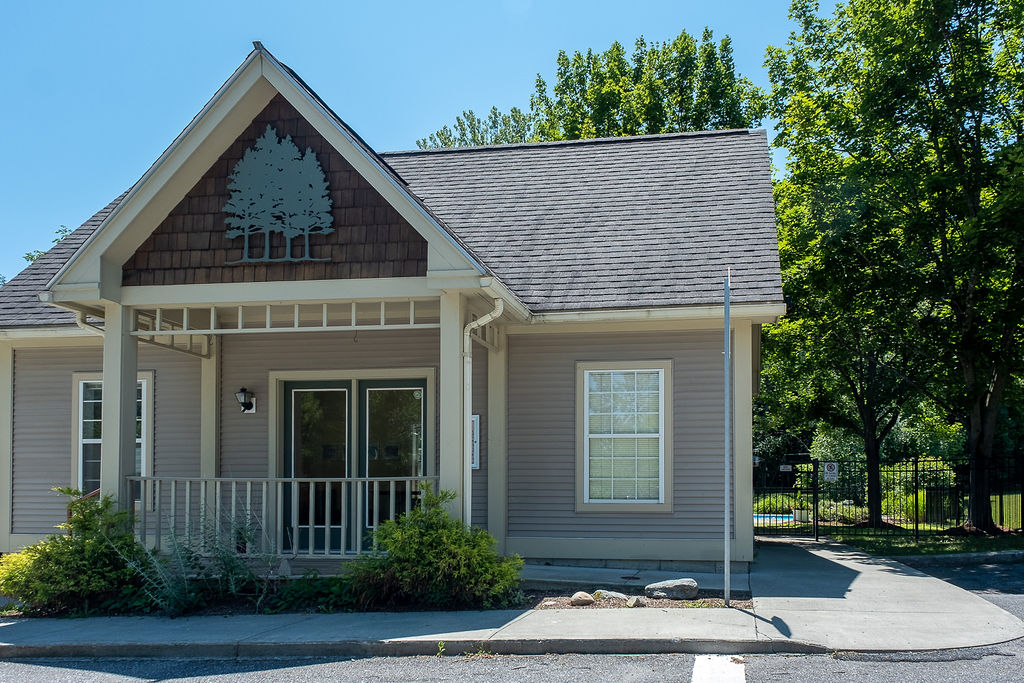
Pinecrest Village is a multi family homeowners association (HOA) community located in Williston, Vermont.
Pinecrest Village was completed between 1991 to 1996 and includes 81 units spread across 30+ acres of green space and mature, forested land with ample setbacks from neighboring properties.
Both 2 bedroom, 1 bathroom and 3 bedroom, 2 bathroom unit types are available, and each unit type corresponds to one of several different architectural designs. Some units are single family homes. Other units are situated within duplexes, and still other units are part of larger townhouse style buildings. This variety of architectural designs lends a patterned but customized theme to the community, and the rolling drives and curved pathways offer a secluded, picturesque appearance.
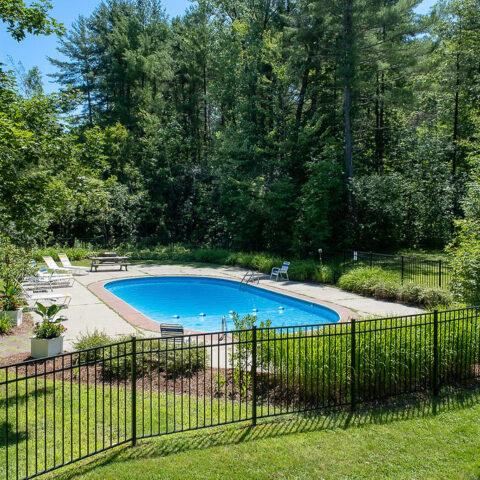
Outdoor amenities include an inground pool, a community Clubhouse that can be reserved for private events, a basketball court, and a playground area.
Common area grounds care and maintenance of some exterior finishes (such as roofing) is included in the Pinecrest Village association dues. Individual unit owners may be responsible for painting some exterior surfaces, but the association provides exterior painting guidelines to maintain consistency with the original architectural renderings. The association also has designated guidelines for the maintenance and replacement of windows and doors.
A non-aggressive pet may be allowed in this community in accordance with Community documents and with Board review and approval.
Two ways to use it
It is an email list with a website attached. Most neighbors never visit the website at all — and that is fine.
1 · In your email
Every new conversation arrives as an ordinary email. Hit reply and it goes to the group. Start your own by emailing pinecrest-village@googlegroups.com. You choose how much arrives — every message, a digest, a summary, or none.
2 · On the web
Every conversation is kept and searchable, including the ones posted before you joined. Find that recommendation again months later, change how much email you get, or leave the group — all in one click.
Good to post
Get-togethers and community events · recommendations, lending and borrowing · lost pets, found keys, spare chairs
Not here
Emergencies · maintenance requests · official association notices. Those go to Full Circle, and official notices reach you directly from the Association.
Your neighbors run it. Hosts are owners named by your Board. They approve new members and apply the community’s posting guidelines. Full Circle keeps the group running but does not read or moderate what you post. Want to help run it? Ask your Board.
Joining needs a free Google account — it does not have to be a Gmail address, and you can create one using the email address you already use.
Prefer to watch?
Pinecrest Village Units
Williston, VT 05495
Amenities
- Pool and Clubhouse
- Outdoor playground
- Outdoor basketball court
- Garden space
- Attached and detached garage options
- Porches in most units
- 30+ acres of common land with both green space and mature forest
Pinecrest Village Monthly Dues Include:
- Trash, recycling, and compost removal
- Sewer ( some units are tied to a community septic system while others are connected to municipal infrastructure)
- Pool and Clubhouse access
- Grounds care & snow removal
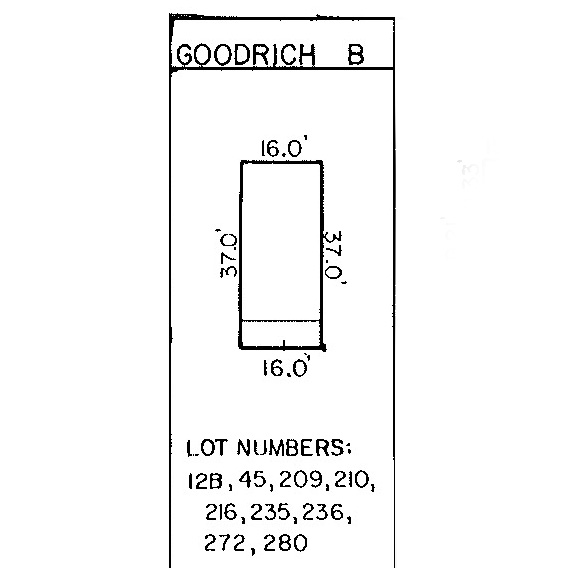
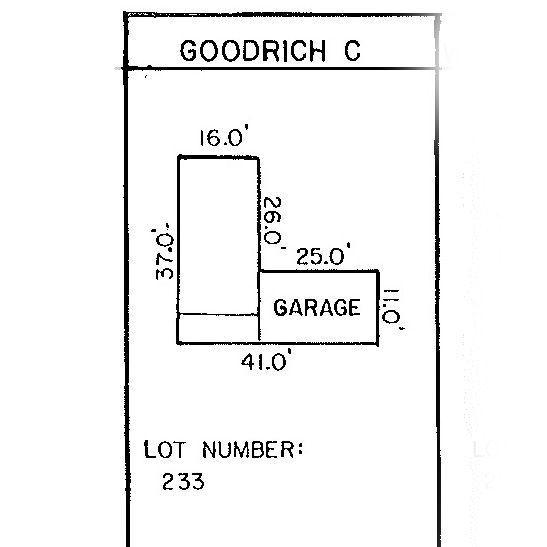
Floorplans
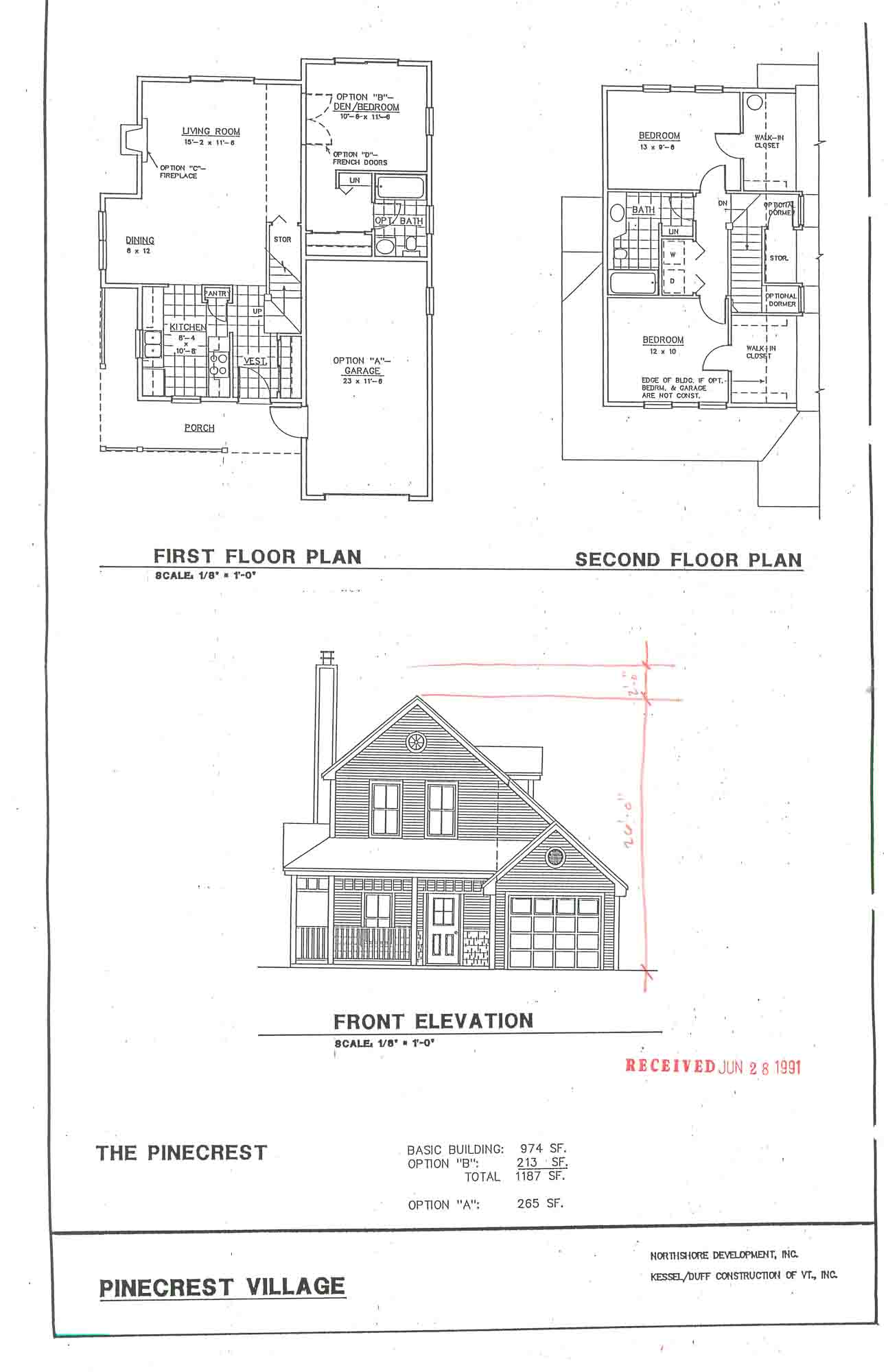
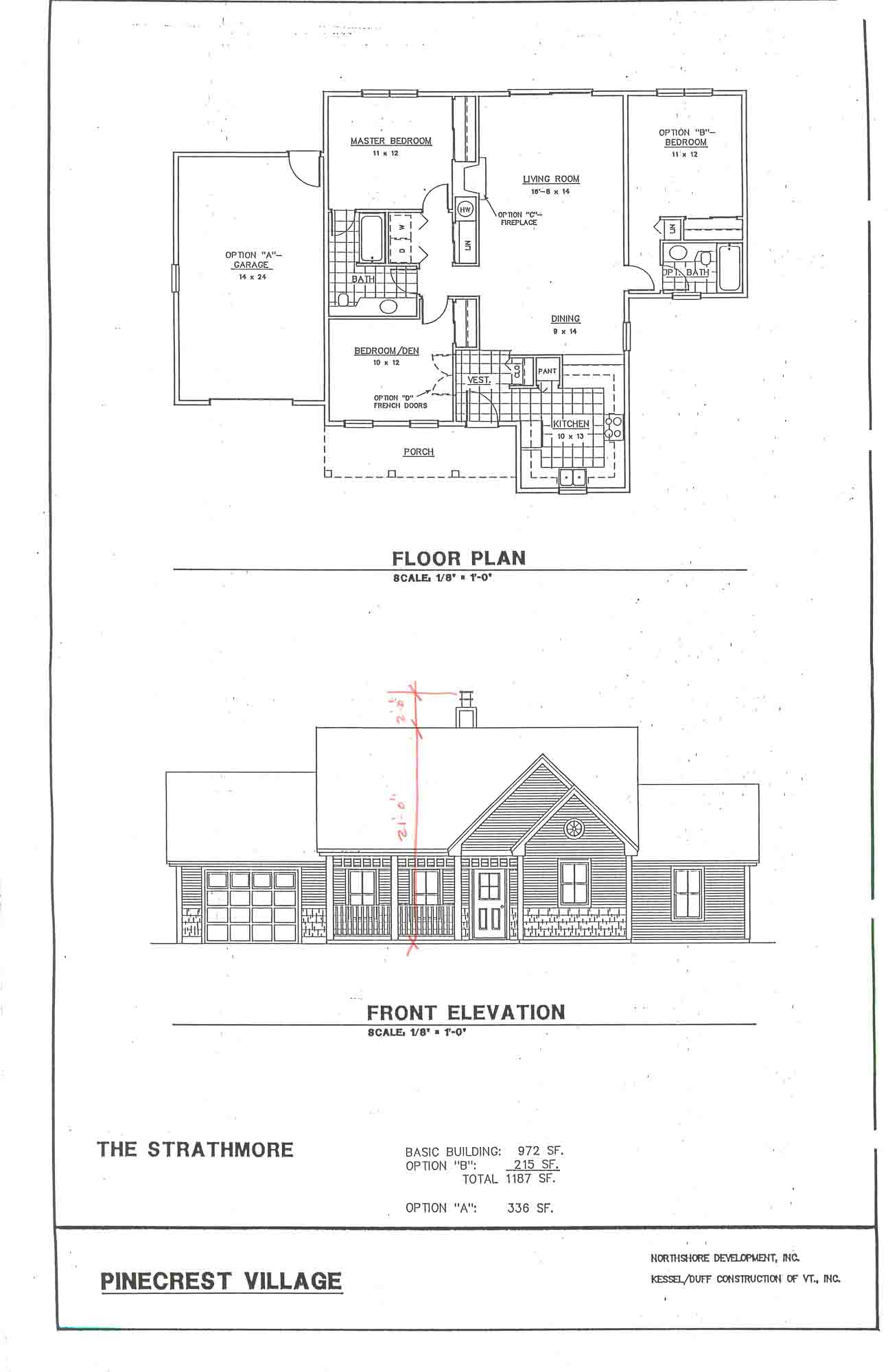
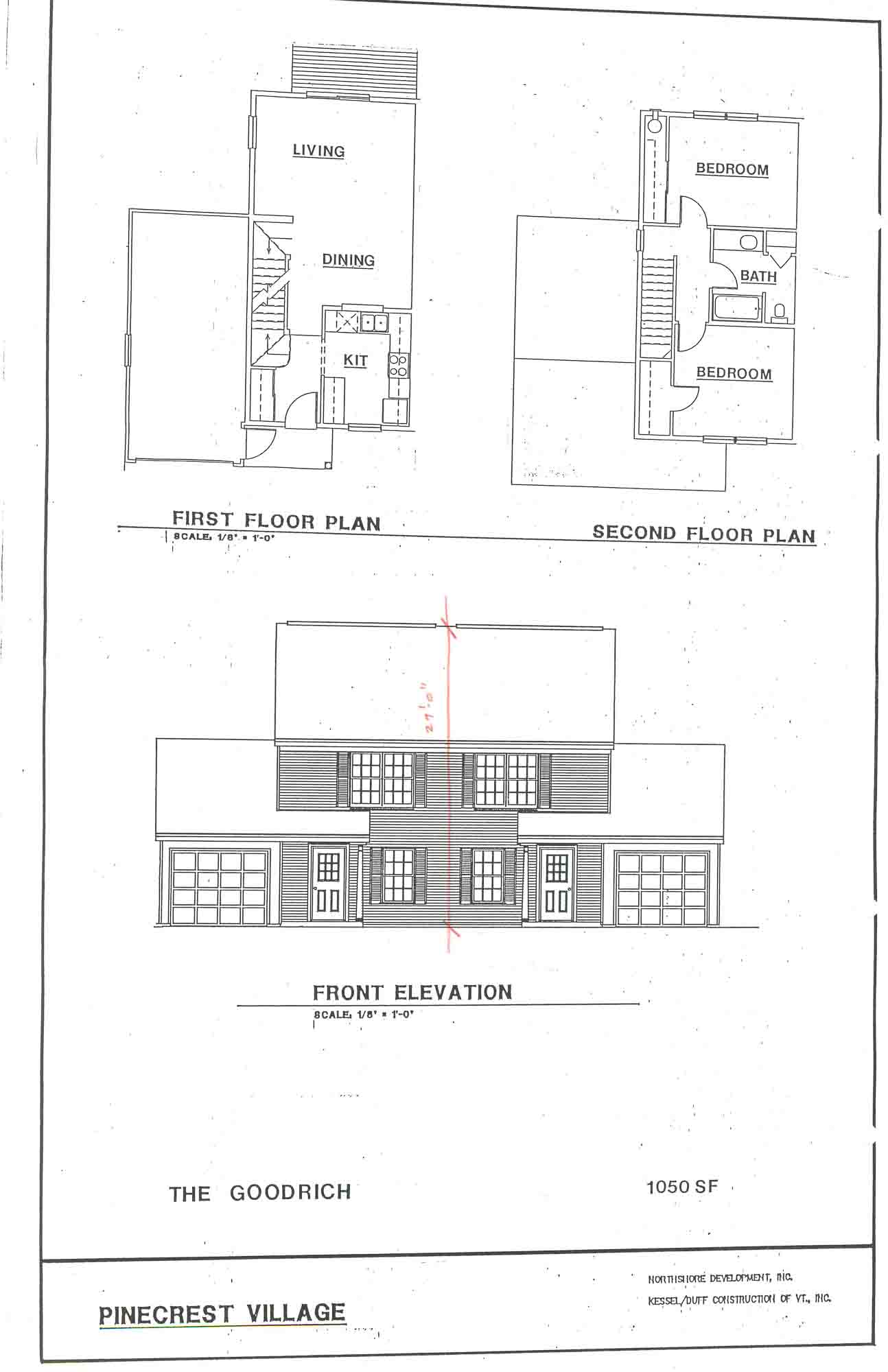
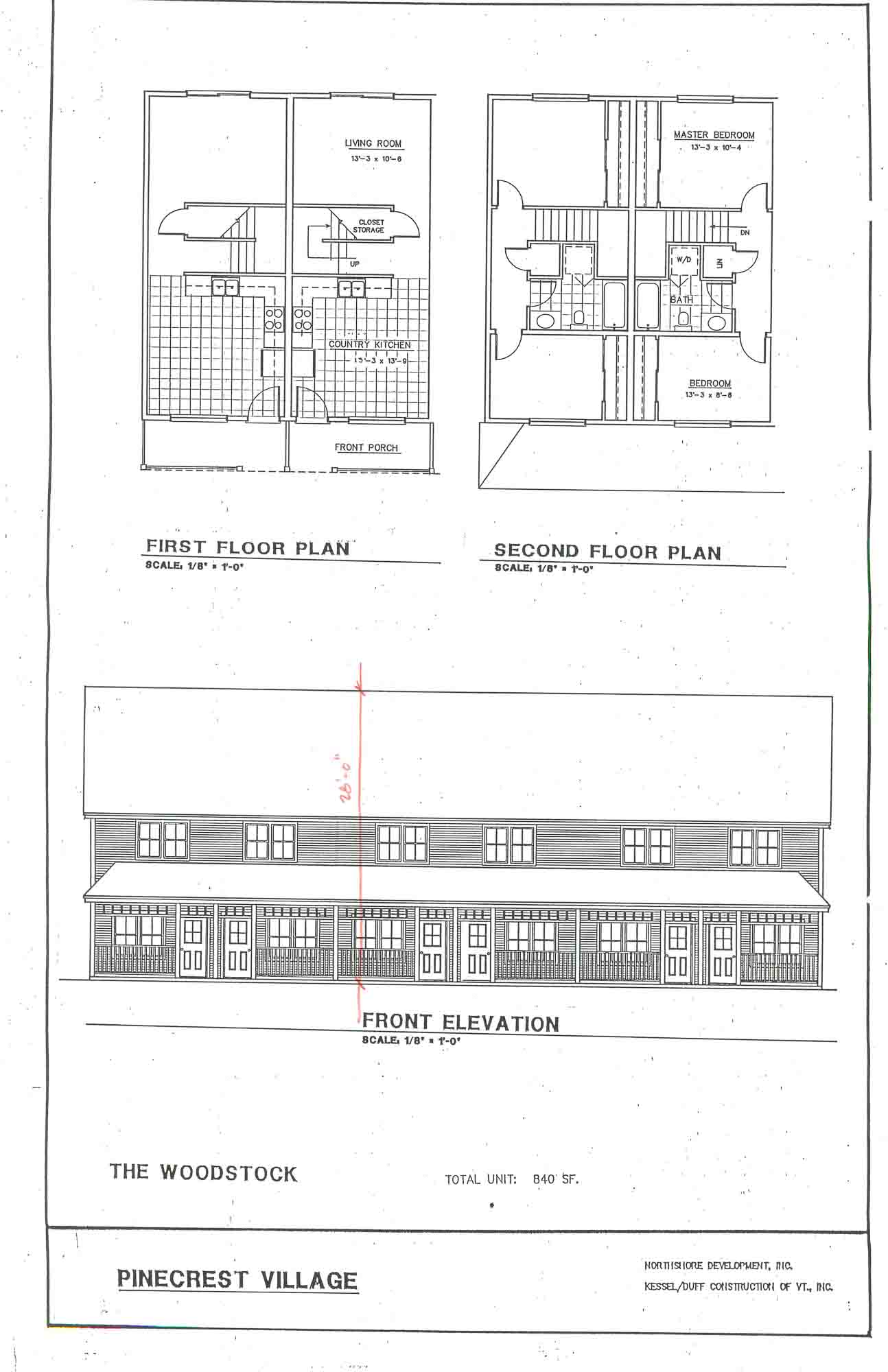
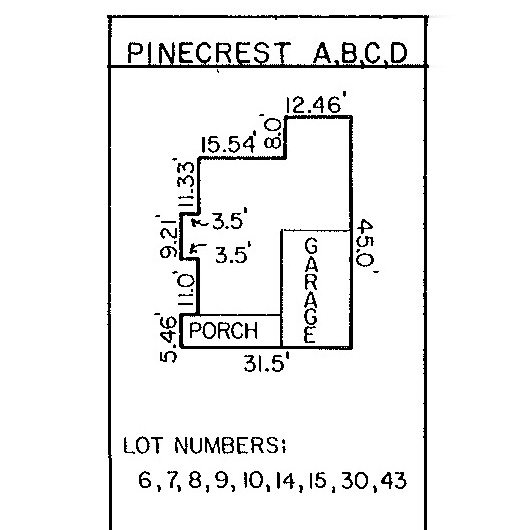
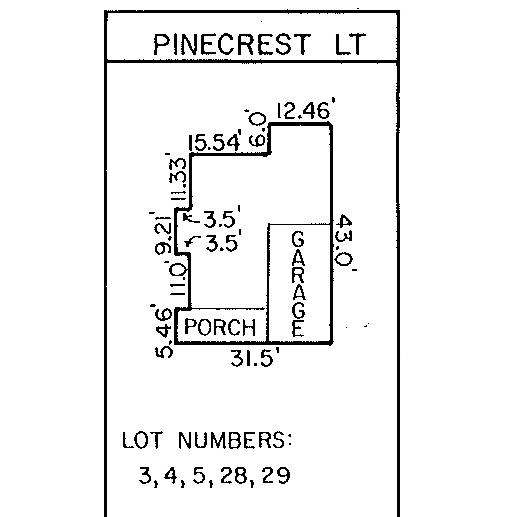
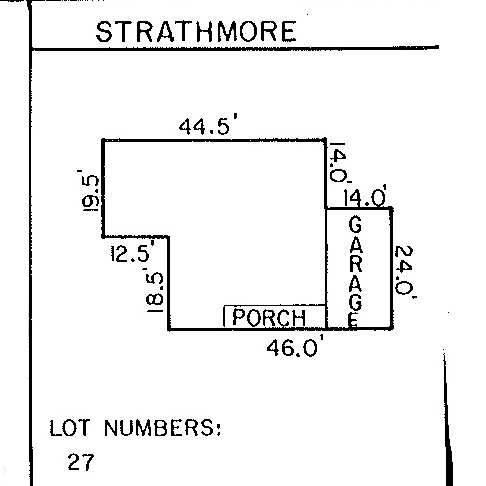
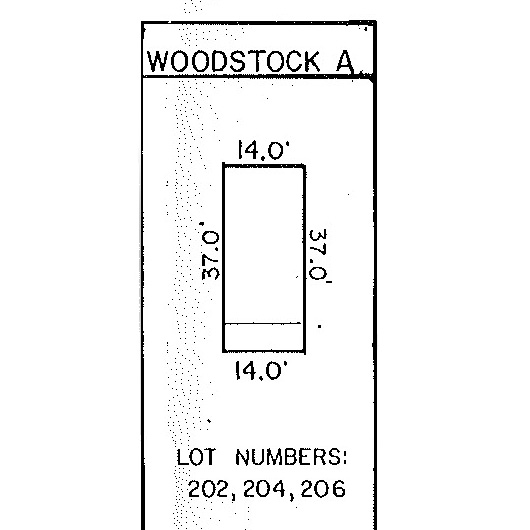
These images represent the original floor plans and maps that were used for construction. Some features — such as islands or peninsulas — may have been modified during the final phase of construction, and other features or layouts may have since been updated by unit owners. Prospective buyers or renters should consult their real estate agent or landlord to verify specific unit information.
Click to zoom
The Pinecrest
The Strathmore
The Goodrich
The Woodstock
The Pinecrest (A, B, C, D)
The Pinecrest (LT)
The Strathmore
The Woodstock
The Goodrich A

The Goodrich B
The Goodrich C
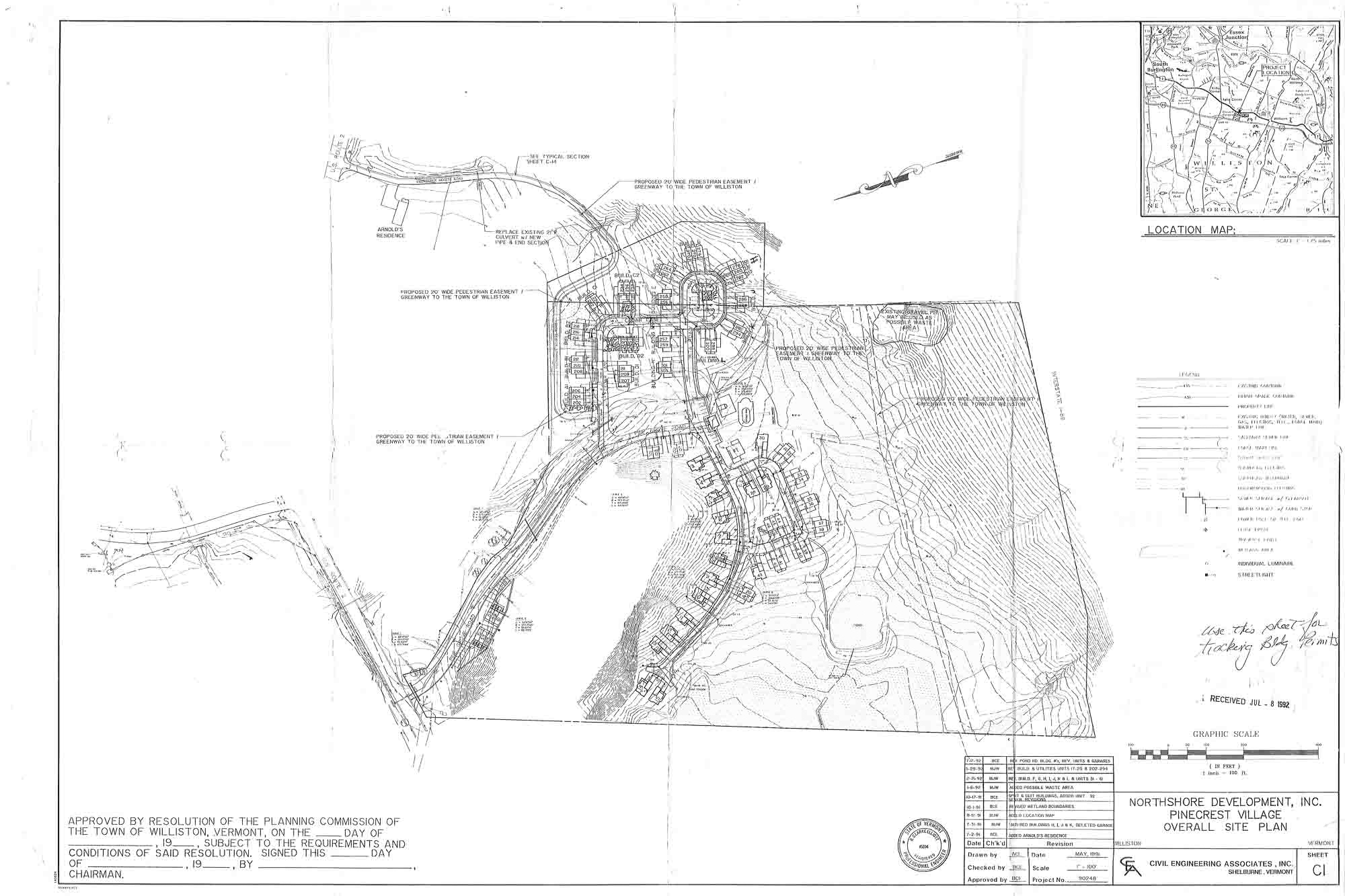
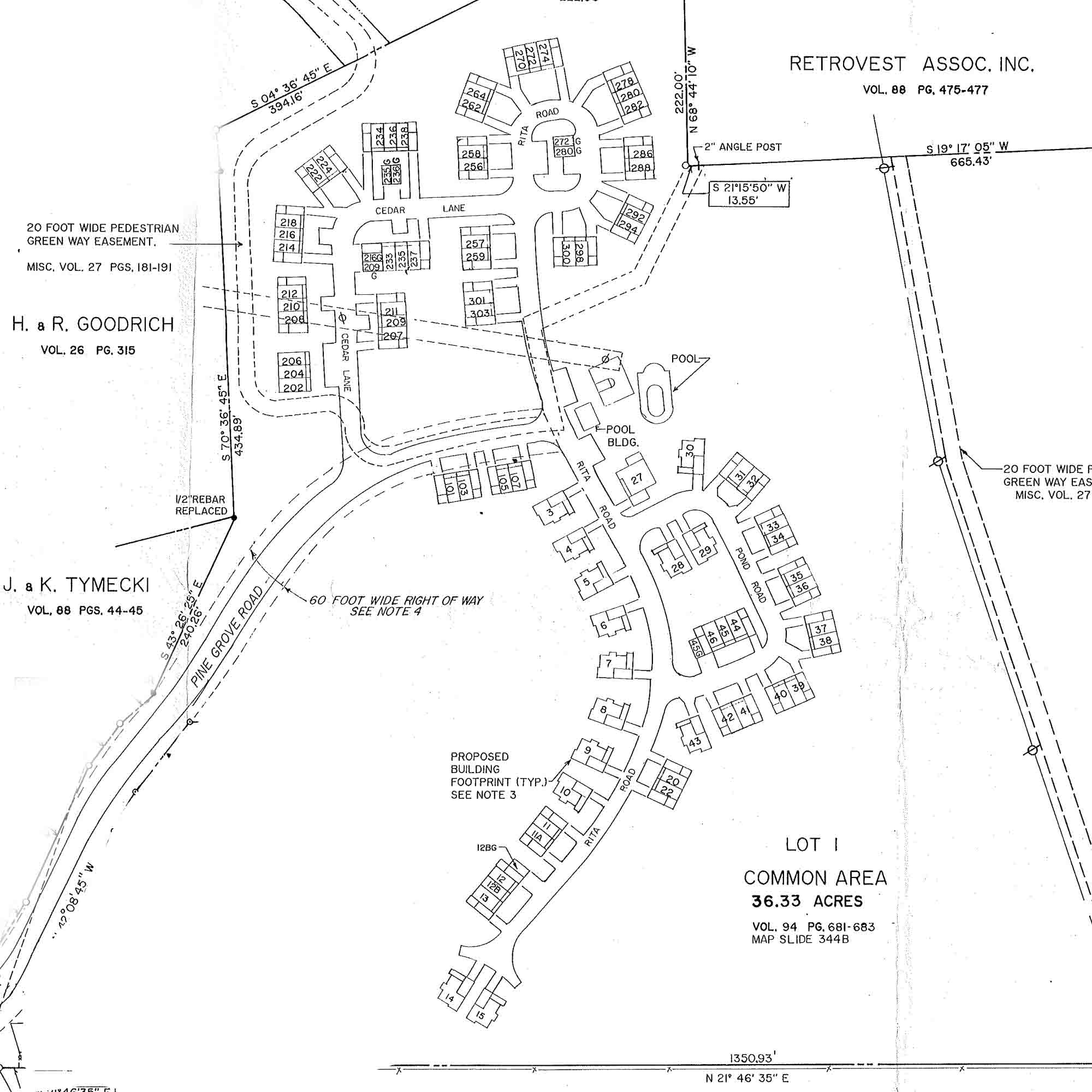
Sitemaps
Pinecrest Village Site plan
Pinecrest Village Lot Map
Pinecrest Village Utility Map

Window & Door Guidelines
Exterior Painting Guidelines
Property
Pinecrest Village Homeowner’s Association is situated on 30+ acres of greenspace and mature, forested land nearby Williston Village and Taft Farms in Williston, Vermont.
Trails and open space allow for recreation. A non-aggressive pet may be allowed in this community in accordance with community documents and with Board review and approval.

Neighborhood
Williston, Vermont blends the comforts of country with the conveniences of city living. Residents can enjoy the urban environment of nearby Taft Farms with restaurants, grocery, retail, and professional services, along with the parks, paths, and trails of nearby Williston Village.
Pinecrest Village is located at the intersection of Timothy Way and Williston Road (US Route 2) and is only 2 miles from Interstate 89 and 1 mile from Williston Village.
It is a private email group for the owners and residents of this community. Anyone in the group can start a conversation, and everyone else receives it as an ordinary email.
It is a good place for get-togethers and community events, recommendations, lending and borrowing, and lost pets, found keys and spare furniture — the questions a neighbor is better placed to answer than anyone else.
It is not the place for emergencies, maintenance requests, or official Association business. Those go to Full Circle, and an emergency always goes to the emergency line.
Your neighbors run it. Hosts are owners named by your Board. They approve new members and apply the community’s posting guidelines. Full Circle keeps the group running and helps with technical trouble, but does not read or moderate what neighbors post.
There are two ways in, and you only need one of them.
If you were sent an invitation, accept it from the email. That is the whole process.
If you were not, or the invitation has gone astray, go to the group and choose Ask to join group. A host reviews the request, usually within a day.
Joining needs a free Google account. It does not have to be a Gmail address — you can create a Google account using the email address you already use, and keep reading the group in the inbox you already check. At accounts.google.com, choose to create an account and then Use my current email address instead.
Yes, and yes. Every new conversation arrives as an ordinary email, so there is nothing to check and nothing to install.
If that is more than you want, you can change how much arrives without leaving the group. On the group’s website, open My membership settings and choose one of:
- Every new message — each post as it is written
- Digest — up to 25 full messages bundled into one email
- Abridged — a short summary of the day’s activity
- No email — nothing arrives, and you read on the web whenever you like
Not receiving anything you expected? Check your spam or junk folder first and mark one message not spam, which usually settles the rest. Adding the group’s address to your contacts helps. If it is still quiet, check that same settings page in case the group is set to No email, and that you are signed in with the address your Association has on file.
To reply to a conversation, reply to the email as you would any other. Your message goes to everyone in the group.
To start a new one, send an email to the group’s address, or use New conversation on the group’s website.
Every subject line is its own conversation, and replies stay attached to it — so a thread about a pool-house party never tangles with a thread about parking.
Anyone in the group can start a conversation about a specific thing, and that includes hosts and Board members acting as neighbors. Organising a seasonal get-together, looking for help with a community project, or asking who else is interested in something are all exactly what the group is for. No special permission is needed and no one has to set anything up first — a new subject line is a new thread.
No. Official Association notices reach you directly from the Association, through the delivery method your governing documents allow. The chat group is informal and neighbor-to-neighbor; it is not an official channel, and nothing posted there is notice of anything.
Please keep using the usual routes for anything that needs the Association or the management team: maintenance requests, account and dues questions, architectural review requests, and anything intended for a Board agenda all go to Full Circle rather than to the group. A neighbor reading the group has no way to act on them.
Pinecrest Village Association
Q: What should I do if I’m having an issue with my heating system (boiler, furnace, heat pump, or other heating appliance)?
A:
If you experience an issue with your in-unit heating system, please contact a licensed HVAC contractor of your choosing for diagnosis and repair. Under the Pinecrest Village Association’s governing documents, the Association is generally not responsible for the maintenance, repair, or replacement of heating equipment that serves only an individual unit.
Q: How do I know whether my heating system is my responsibility or the Association’s responsibility?
A:
Responsibility depends on whether the equipment is considered:
- a Unit component
- a Common Element (serving multiple units).
These distinctions are defined in the Association’s Declaration and Bylaws, which control maintenance and repair obligations.
Q: Where can I find my Association’s Bylaws and governing documents?
A:
You can access the Association’s Bylaws, Declaration, and related documents through your Online Portal. These documents provide detailed guidance on what is considered a common element versus a limited common element and outline owner versus Association responsibilities.
Q: What should I do if I’m unsure after reviewing the documents?
A:
If you’re uncertain after reviewing the governing documents, you may contact our property manager team at associationservices@fullcirclevt.com for clarification. However, to avoid delays—especially during cold weather—it’s recommended that you proceed with contacting an HVAC professional if heat is impacted.

Your Portal, Your Way
Access your online portal on the go! Pay rent or dues, submit maintenance requests, submit architectural reviews, and more …
Download the Online Portal App


We understand that form filling can be stressful or time consuming and appreciate your diligence in providing us with this required information. This information often helps during emergencies and can prevent loss or damage to person or property.
While form errors related to software can occur, we often find most errors are quickly resolved using the following steps.
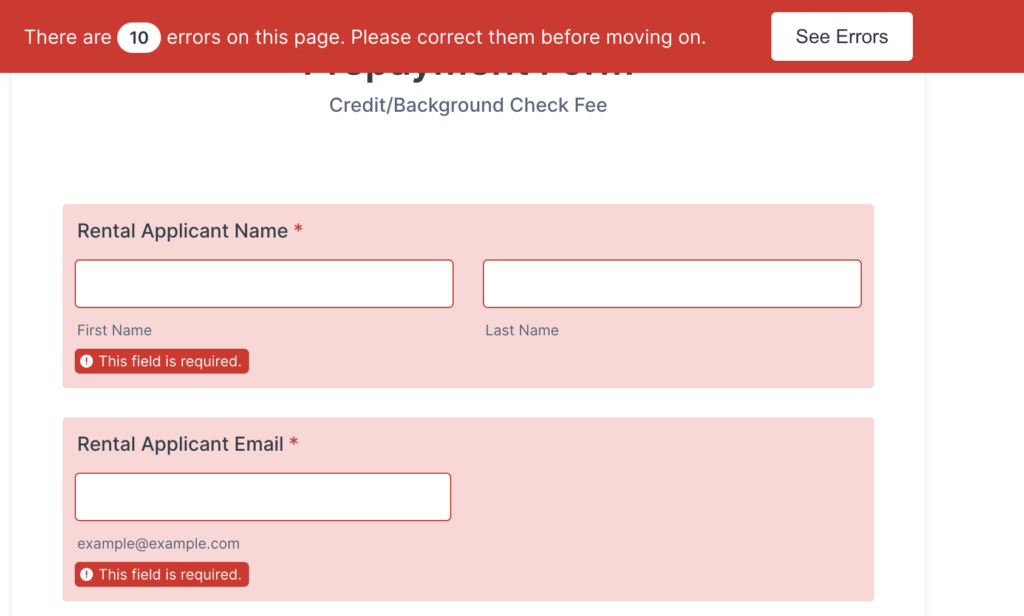
Check for Errors at the Top of the Browser Window:
- Users should first look for any error messages displayed at the top of the form. Each missing field will also display a “This field is required” banner. These messages typically indicate where required information has not been entered correctly. We keep our fields very neutral and open, allowing any picture or file upload and even accepting incorrectly formatted email addresses.
Use a Different Device
- Sometimes device issues can cause problems, especially for users on small screens like iPhones. If users are entering long strings of information, they might not be able to see the entire text. Recommending the use of a larger screen can help.
- If users have repeated entry errors, your browser cache may become problematic. In this case, they should switch to a different browser or device to complete the form.
Save the Application
- At the bottom of the form, users can typically save their application so it can be continued later.
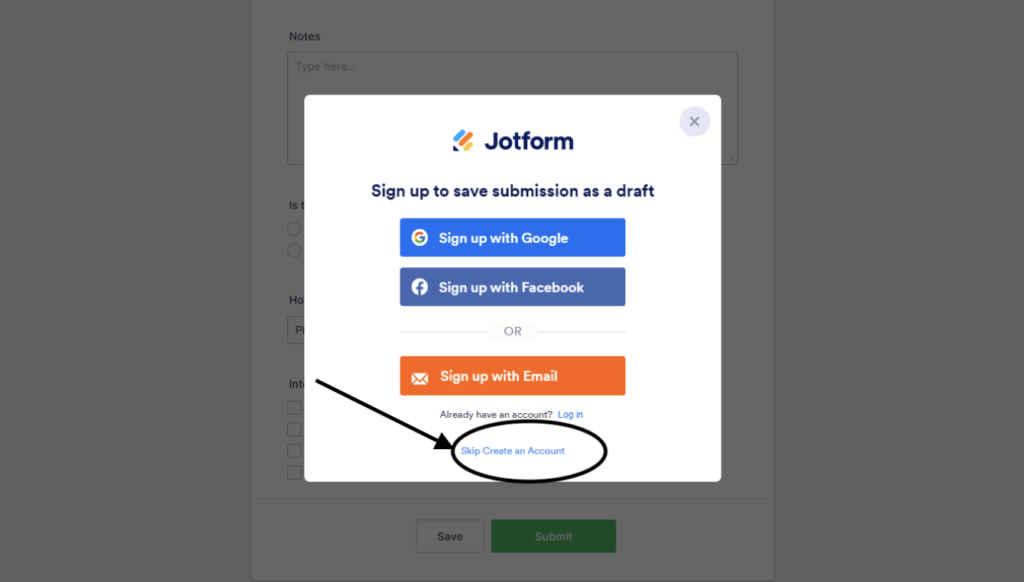
- The save button invites users to create a personal Jotform account, but this is not required and can be easily bypassed (see “Skip Create an Account” link in image below). Either way, users can send a copy of the form submission to their own email or another email. We recommend users send a link to continue this application to their own personal email address so they can first try to submit the form on another device.
- Alternatively, users can send the link to info@fullcirclevt.com for assistance. Often, we can identify any possible form submission errors within 1-2 business days after receiving the link. We can then communicate with users to assist them in finalizing their form submission.
Working Together to Build a Stronger Community
We want to assure you that we protect your personal information securely and only collect necessary information We welcome your feedback and hope to work cooperatively to build a better sense of community.
By following these steps, we can effectively assist users and ensure a smooth form submission process. Thank you for your attention to these details and your continued support in troubleshooting form submissions.
- The snow removal team will only visit Pinecrest Village when there has been 2” or more of snowfall
- Salting and deicing will happen depending on conditions and the professional judgement of the snow removal team
- Owners or residents must remove vehicles from their driveway, or their driveway will not be plowed!
- Owners and residents are welcome to use salt buckets that will be stored near mailboxes, the pool house, detached garages, and sidewalk intersections.
Step 1: Request approval
First you will need to login to your personal Online Portal while navigating to the Compliance tab, then click “Submit New Review” to get the process started. Our property manager will review your Architectural Review and respond to you with next steps based on guidance from your Association’s governing documents.

Step 2: Follow guidelines
Next (once approved) you will need to follow the Exterior Door & Window Guidelines that have been set by your board.
Step 1: Request approval
First you will need to login to your personal Online Portal while navigating to the Compliance tab, then click “Submit New Review” to get the process started. Our property manager will review your Architectural Review and respond to you with next steps based on guidance from your Association’s governing documents.
Step 2: Follow guidelines
Next (once approved) you will need to follow the Exterior Paint Guidelines that have been set by your board.

Recent Pinecrest Village HOA News from our Blog
- Spring Property Maintenance Checklist for Vermont Landlords and HOAs
- New to Your HOA Board? A First-Year Guide for Vermont Homeowners
- Writing Successful Board Approval Requests at Your HOA: A Guide for Homeowners
- Understanding HO4 & HO6 Insurance
- Association Meeting Management
- Transition to new software
- Vehicle Theft Prevention
- 5 Ways to Lose a Contractor
