
Pinecrest Village Homeowners Association
Williston, Vermont
About
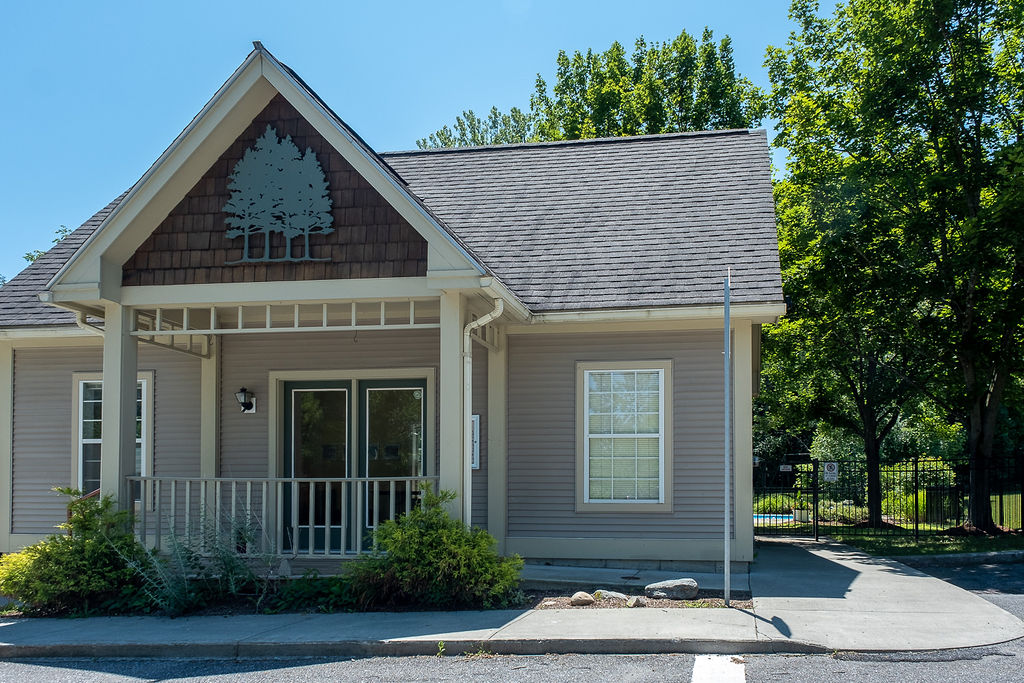
Pinecrest Village is a multi family homeowners association (HOA) community located in Williston, Vermont.
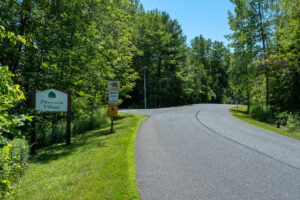
Pinecrest Village was completed between 1991 to 1996 and includes 81 units spread across 30+ acres of green space and mature, forested land with ample setbacks from neighboring properties.
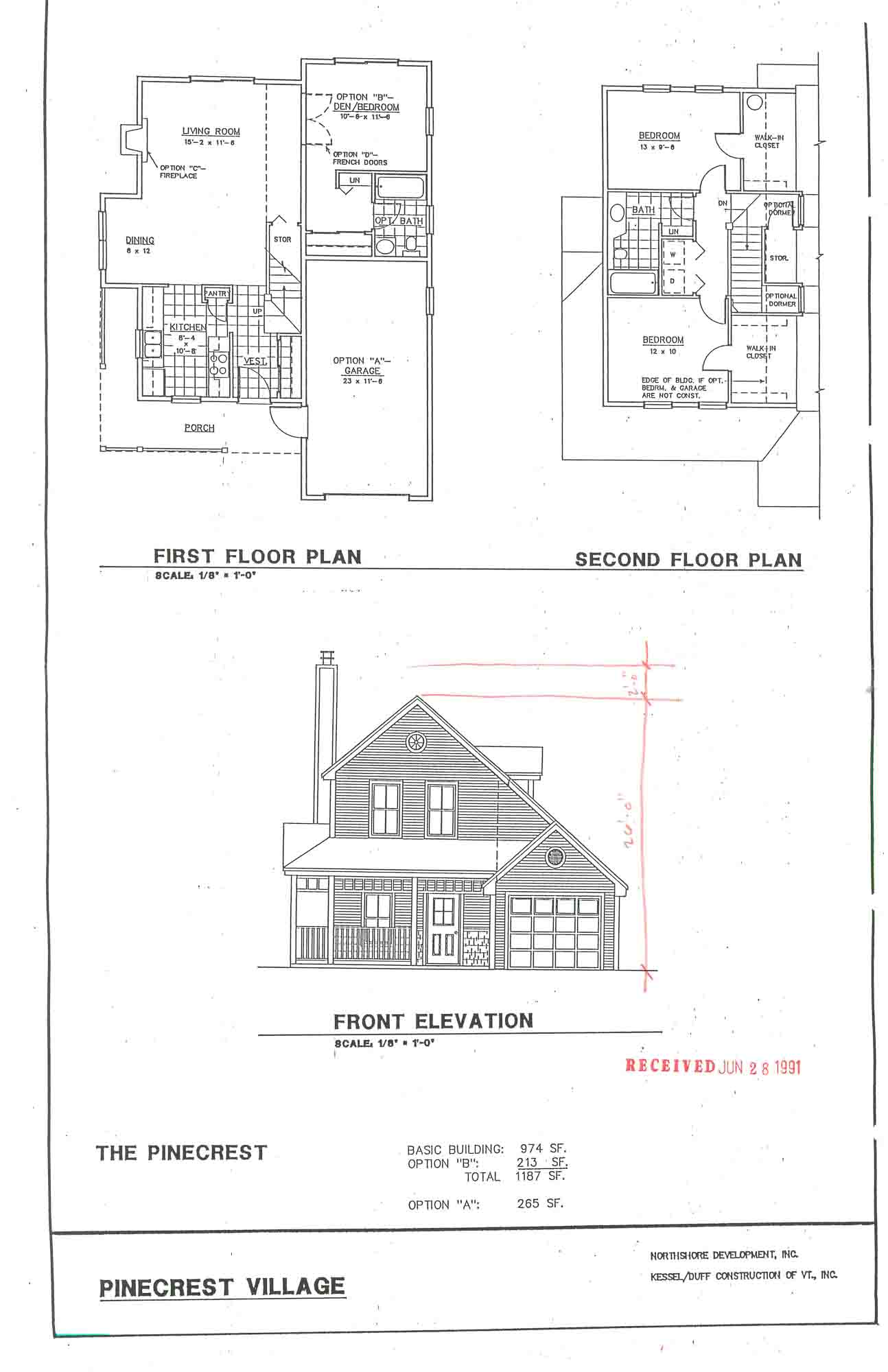
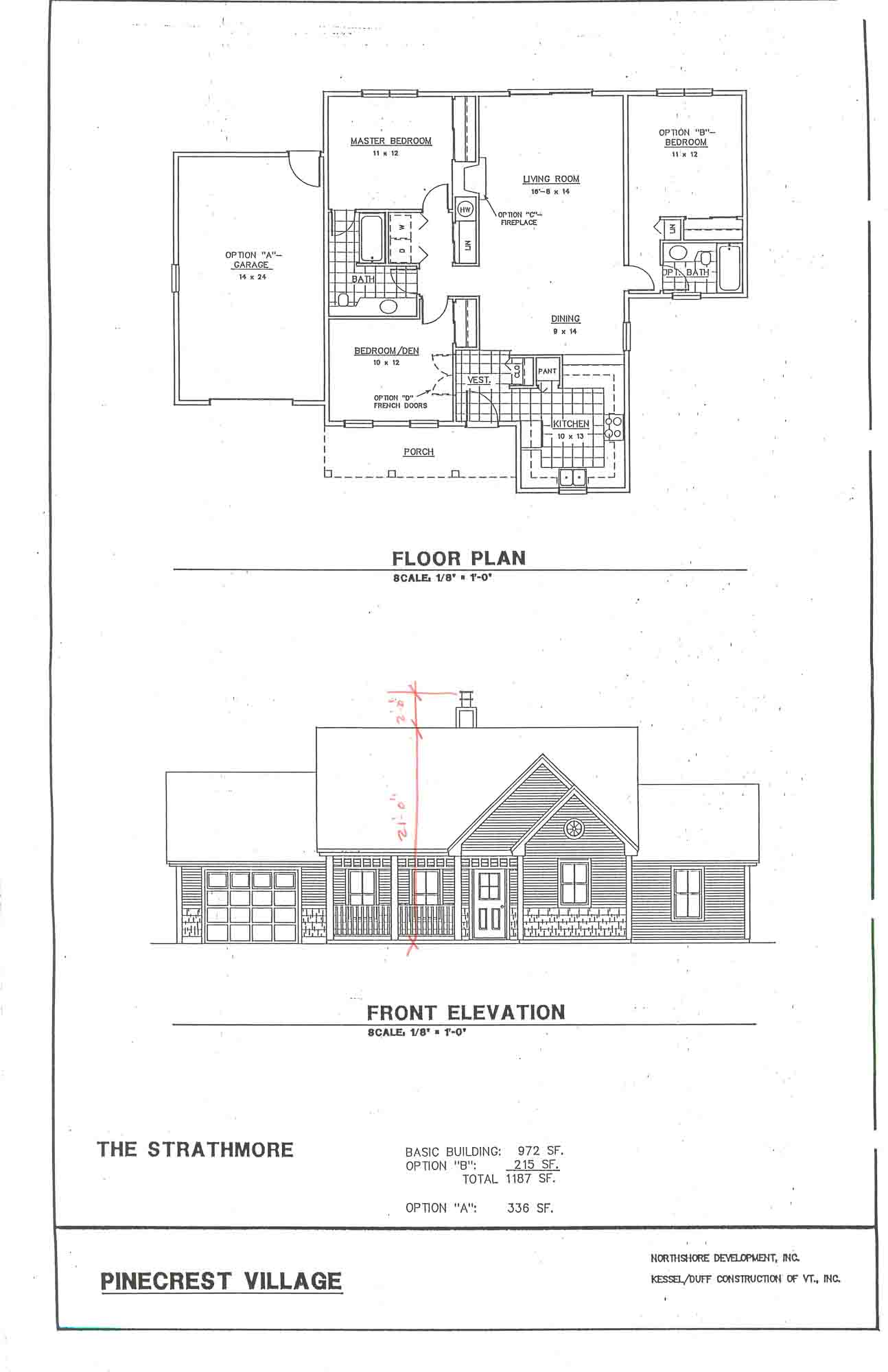
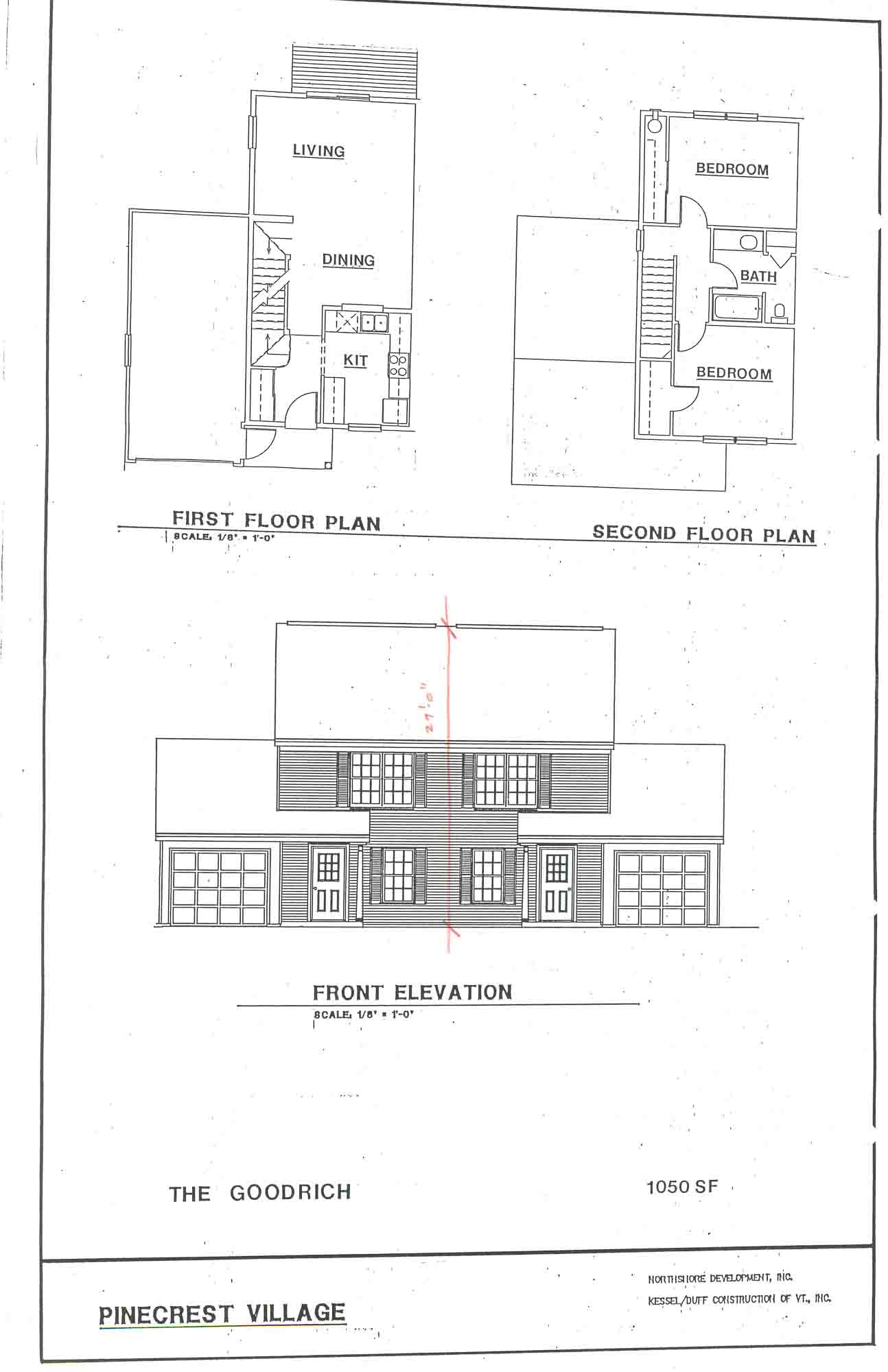
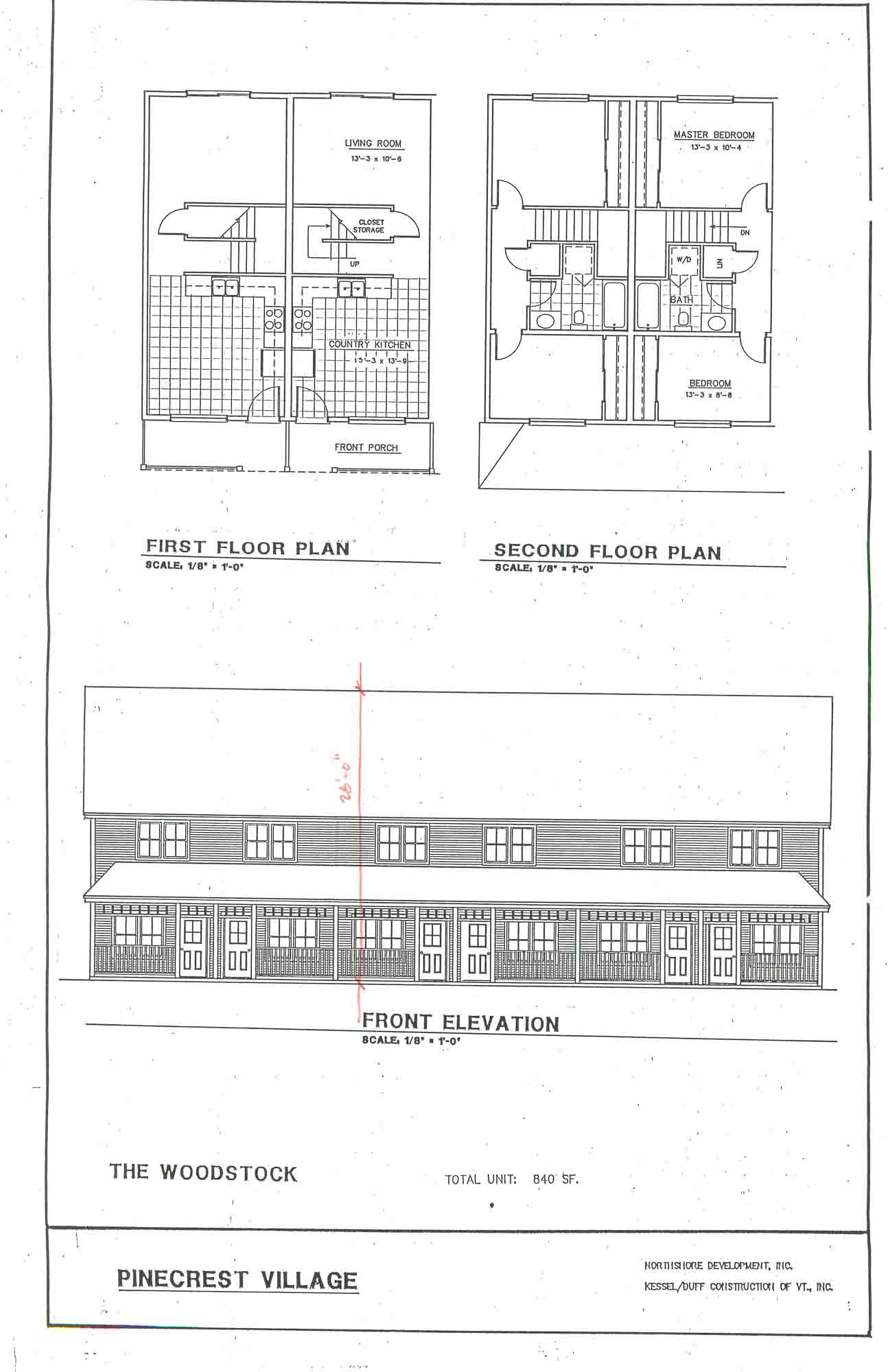
Both 2 bedroom, 1 bathroom and 3 bedroom, 2 bathroom unit types are available, and each unit type corresponds to one of several different architectural designs. Some units are single family homes. Other units are situated within duplexes, and still other units are part of larger townhouse style buildings. This variety of architectural designs lends a patterned but customized theme to the community, and the rolling drives and curved pathways offer a secluded, picturesque appearance.
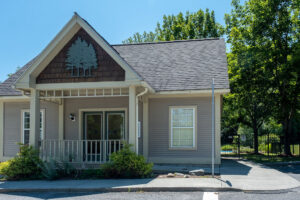
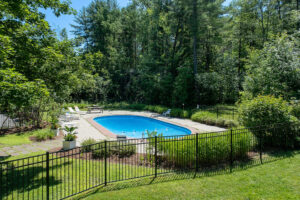
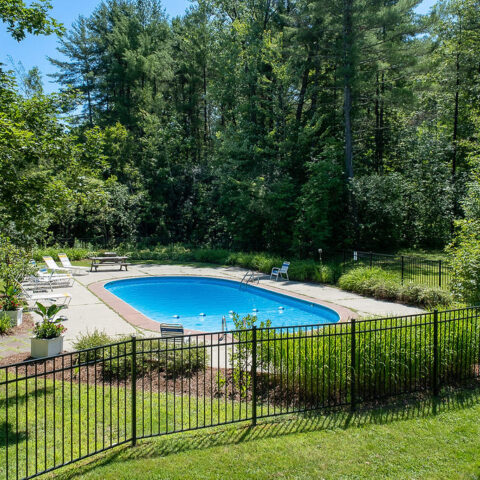
Outdoor amenities include an inground pool, a community Clubhouse that can be reserved for private events, a basketball court, and a playground area.
Common area grounds care and maintenance of some exterior finishes (such as roofing) is included in the Pinecrest Village association dues. Individual unit owners may be responsible for painting some exterior surfaces, but the association provides exterior painting guidelines to maintain consistency with the original architectural renderings. The association also has designated guidelines for the maintenance and replacement of windows and doors.
A non-aggressive pet may be allowed in this community in accordance with Community documents and with Board review and approval.
Association Services
How secure is my information?
We take data security seriously.
Our forms and your Online Portal:
- Collect only essential information
- Store your data securely through encrypted software
- Don’t require you to re-enter personal or financial information for routine requests
This reduces the amount of information exchanged and keeps your data more secure.
Why is the online form better than paper or email?
Using the online system allows you to:
- Receive automatic status updates
- Track your request from submission through completion
- Provide required notice & entry preferences instantly
- Ensure maintenance staff receives complete and accurate information, speeding repairs
- Avoid delays caused by lost forms or miscommunication
- More Sustainable & Environmentally Friendly with Less Paper
- Easy Uploads for Required Attachments
Managing two parallel systems (paper and digital) leads to errors, lost requests, and inconsistent communication.
For this reason, we rely on the online system to ensure every request is handled promptly and accurately.
I’m not comfortable with technology. What should I do?
We understand that online tools can be new or unfamiliar for some residents.
Here are options that may help:
- Ask a family member or trusted friend to assist you
- Use the system on any device—iPhone, Android, tablet (like an iPad), laptop, or desktop
- Access the your Online Portal through either a mobile app or a regular web browser (Google Chrome, Safari, etc.)
- Visit a local library, which often has free public computers and staff who can help you get started
Most residents find the steps intuitive once they begin.
What if I don’t have a device?
Our system is highly adaptable and can be used on:
- Smartphones
- Tablets
- Desktop computers
- Laptops
Are the forms accessible?
Yes. All of our forms and online workflows are designed with accessibility in mind, including:
- Clear layout
- Larger font sizes
- Mobile-friendly structure
- Compatibility with assistive devices
- Simple step-by-step navigation
We continuously refine our forms to ensure they are usable for as many residents as possible.
What if I have a disability and need an accommodation?
If you have a disability and believe the online form creates a barrier for you, you may submit a Request for Disability Accommodation Form.
We’ll review the request and work with you to find an appropriate solution.
Your Portal, Your Way
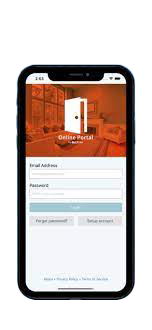
Access your online portal on the go! Pay rent or dues, submit maintenance requests, submit architectural reviews, and more …
Download the Online Portal App


How should I share personal or sensitive documents with you?
If you ever need to share personal information or documents that can’t be sent using one of our secure forms or your Online Portal, you may securely upload them using our encrypted uploader.
We understand that form filling can be stressful or time consuming and appreciate your diligence in providing us with this required information. This information often helps during emergencies and can prevent loss or damage to person or property.
While form errors related to software can occur, we often find most errors are quickly resolved using the following steps.
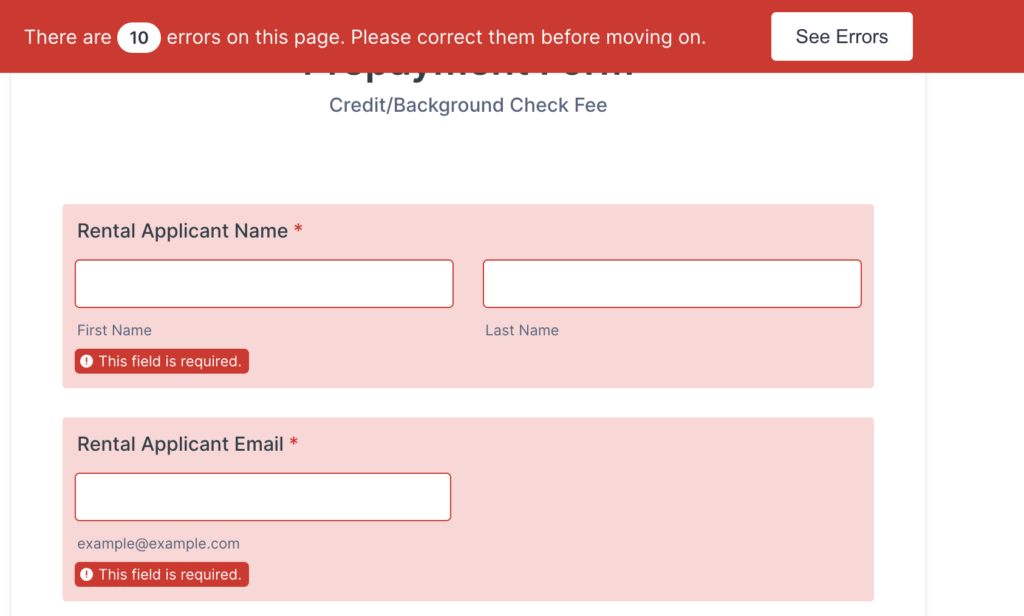
Check for Errors at the Top of the Browser Window:
- Users should first look for any error messages displayed at the top of the form. Each missing field will also display a “This field is required” banner. These messages typically indicate where required information has not been entered correctly. We keep our fields very neutral and open, allowing any picture or file upload and even accepting incorrectly formatted email addresses.
Use a Different Device
- Sometimes device issues can cause problems, especially for users on small screens like iPhones. If users are entering long strings of information, they might not be able to see the entire text. Recommending the use of a larger screen can help.
- If users have repeated entry errors, your browser cache may become problematic. In this case, they should switch to a different browser or device to complete the form.
Save the Application
- At the bottom of the form, users can typically save their application so it can be continued later.
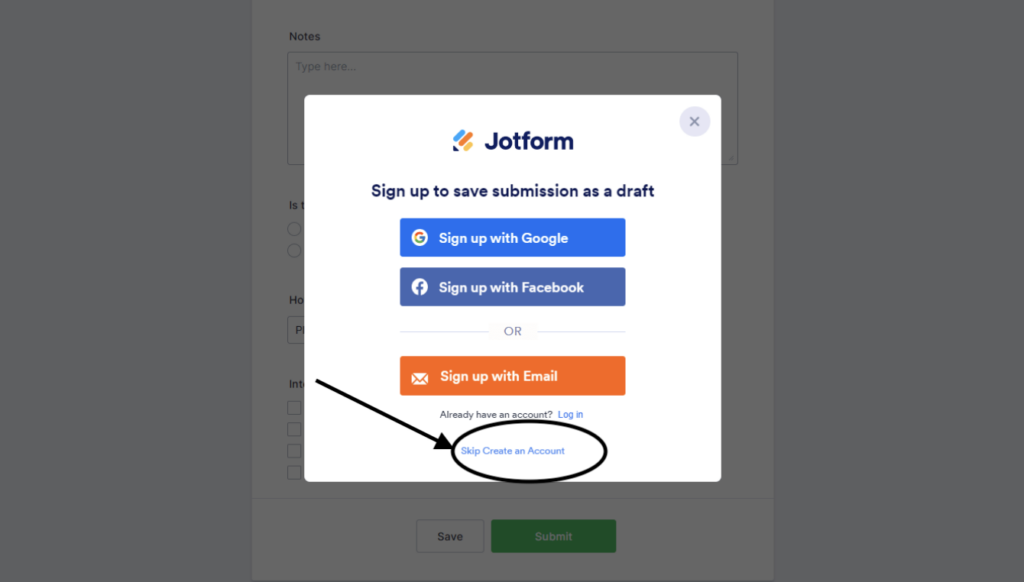
- The save button invites users to create a personal Jotform account, but this is not required and can be easily bypassed (see “Skip Create an Account” link in image below). Either way, users can send a copy of the form submission to their own email or another email. We recommend users send a link to continue this application to their own personal email address so they can first try to submit the form on another device.
- Alternatively, users can send the link to info@fullcirclevt.com for assistance. Often, we can identify any possible form submission errors within within 1-2 business days after receiving the link. We can then communicate with users to assist them in finalizing their form submission.
Working Together to Build a Stronger Community
We want to assure you that we protect your personal information securely and only collect necessary information We welcome your feedback and hope to work cooperatively to build a better sense of community.
By following these steps, we can effectively assist users and ensure a smooth form submission process. Thank you for your attention to these details and your continued support in troubleshooting form submissions.
If you’d like to pay by check, you can send a check made payable to your property owner (as designated in your written lease agreement) or your condo association to our PO box at:
Full Circle Property Management
PO Box 4057
Burlington, VT 05406
You can also set up automatic payments through your personal bank.
For all HOA homeowners and many residents/renters, you can pay online via the Resident Portal

At the top-left of the ledger, you will see your account information. For residents, this may include the names of tenants residing with you and the property address. You will also see the rent amount for residents and HOA dues for homeowners, if applicable.
- Date (Highlight 1) – The date the transaction occurred.
- Description (Highlight 2) – The reason for the transaction (e.g., Association Dues, Special Assessment, Work Order, Payment).
- Charges (Highlight 3) – Amounts applied to your account, such as fees, dues, or assessments.
- Payments (Highlight 4) – Amounts received and applied to your account.
- Balance (Highlights 5 & 6) – Running total after each transaction. The most up-to-date balance is always located at the bottom right of the Balance column.
Note: Charges increase your balance, and payments reduce it. If you have a credit and new charges are applied, the credit will automatically be applied to reduce the new charges.
Understanding Your Balance and Credits
- Positive Balance (e.g., $1,694.91): You owe this amount.
- Negative Balance (e.g., -$425.60): You have a credit on your account.
- Payments made when no balance is due are applied as a credit and may appear as “Prepaid HOA Dues.”
- Note: Prepaid rent for non-homeowners is not accepted. Homeowners may occasionally have a credit, and tenants or residents may have temporary credits on their accounts.
Common Questions
Q: Why doesn’t my balance match my payment?
A: Some payments take time to process. Pending payments or new charges may temporarily affect your balance.
Q: What types of fees may appear?
A: Examples include late fees, maintenance fees, NSF (Non-Sufficient Funds) fees, and for residents, rent charges, work order charges, pet fees, storage, garage fees, etc.
Q: What happens if my payment does not clear (NSF)?
A: If a payment is rejected:
- The original payment is reversed, reinstating the original balance.
- An NSF fee is applied (a bank charge when there are insufficient funds).
- The ledger may include a note like “NSF reversal receipt for Reference #123.”
- Your outstanding balance will equal the original amount plus the NSF fee.
Q: How is one payment applied to multiple charges?
A: When a single payment covers multiple charges (e.g., regular dues, old fees, or special assessment installments), the Description column will show how the payment was allocated.
Example: A payment of $563.00 could be applied to April 2025 dues ($533.00) and a partial May 2025 dues ($30.00). The Description will detail how the payment reduced your outstanding balance.
Tip: If you want your payment applied to a specific charge, please note it in the memo area of your check.
Q: My power just went out — what should I do first?
A: Here’s the step-by-step:


- Check your apartment’s breaker panel.
- Make sure no circuit breakers have tripped or any fuses are blown.
- Safely reset any tripped switch or replace a blown fuse if you’re comfortable doing so.
- When resetting a breaker, “flip” the affected breaker into the on position and hold for 10-15 seconds before releasing.
- Check your GFCI outlets
- Many kitchens, bathrooms, and utility areas have GFCI outlets, which are the outlets with the reset and test buttons.
- If a GFCI trips, it can shut off power not just to that outlet but to several others on the same line.
- Press the RESET button firmly to restore power to the affected area.
- If everything looks fine at your breaker panel, check if the outage affects the entire building or the neighborhood:
- Visit your utility’s outage website (see contacts below) to see if there’s a reported outage.
- Or call the utility to ask if there is an outage in your area.
- If it appears to be a neighborhood or city-wide outage (or you see a report on the utility’s site), then it’s in the hands of the utility company.
- If the outage is isolated to your apartment and you’ve verified your breakers/fuses are okay, you may want to contact the utility to report the issue — sometimes there could be a localized problem such as a damaged supply line.
- Please note: our office is not able to resolve power outages, so you do not need to contact us about the outage itself. It must be handled by your utility or via resetting your breaker/fuse on your end.
Q: Why don’t I contact the property manager or landlord?
A: Because power outages and restored service are controlled entirely by the local utility and your apartment’s breaker/fuse panel. The property manager does not have access to restore electricity. So the responsibility for initiating the reset or contacting the utility lies with you.
Q: What if my breaker panel continues to trip or the fuse keeps blowing?
A: Repeated breaker trips or blown fuses may indicate a larger electrical problem within your apartment (e.g., overloaded circuit or faulty appliance). In that case:
- Try unplugging non-essential devices and reset the breaker again.
- If it trips again, contact the utility and request an inspection, or consider hiring a licensed electrician (at your cost) to investigate your internal wiring or appliances.
Q: How can I check for utility outages in Burlington?
A: Here are the main local contacts:
- Burlington Electric Department — outage website / call: 802-865-7300
- Green Mountain Power — outage website / call: (888) 835-4672
Q: Can I leave a message for the property manager about the outage?
A: You’re welcome to notify us for your records with a non-emergency maintenance request via your Online Portal (just so we know you experienced the outage). But please understand that we cannot restore the power or apply pressure on the utility to restore faster—we cannot influence the outage resolution process.
Q: Is there anything I should do after power is restored?
A: Yes:
- Go back to your breaker panel and ensure all circuits are reset.
- If you reset a tripped breaker, plug in essential devices one by one rather than all at once (to avoid overloading the circuit).
- If you lost perishables in a fridge/freezer due to the outage: check local guidelines on food safety for power loss.
- If you continue to have electrical problems (flickering lights, repeated trips, etc.) contact a licensed electrician.

Recent Pinecrest Village HOA News from our Blog
Pinecrest Village Units
Williston, VT 05495
Floorplans
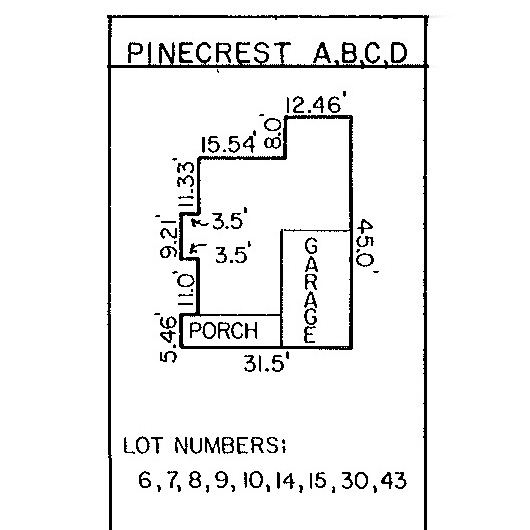
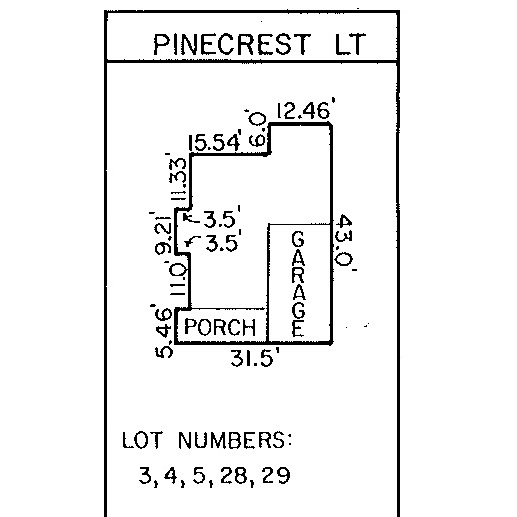
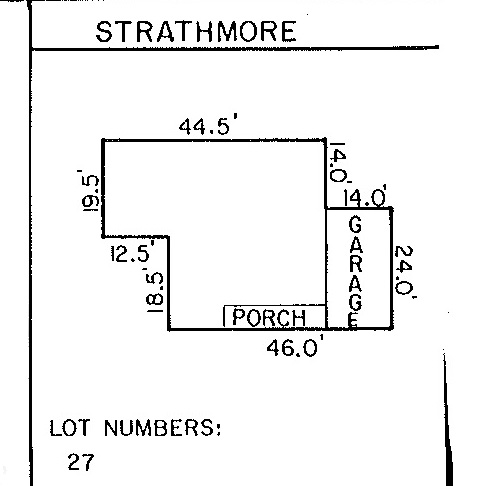
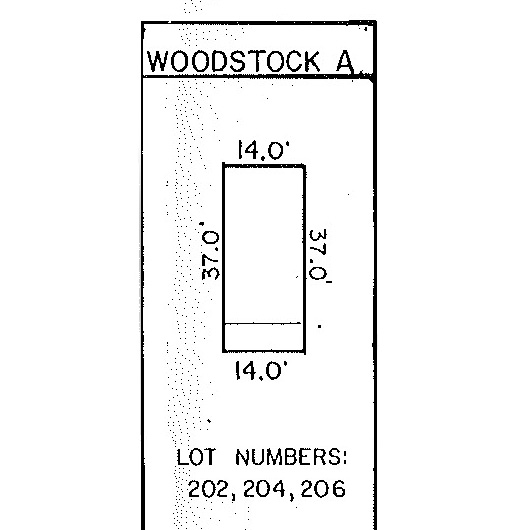
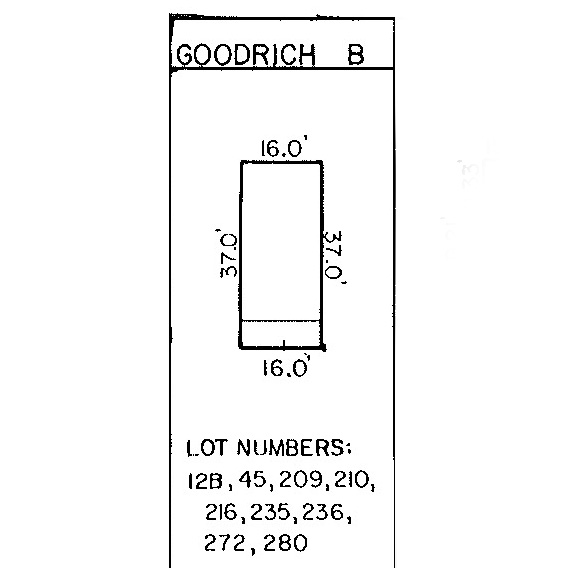
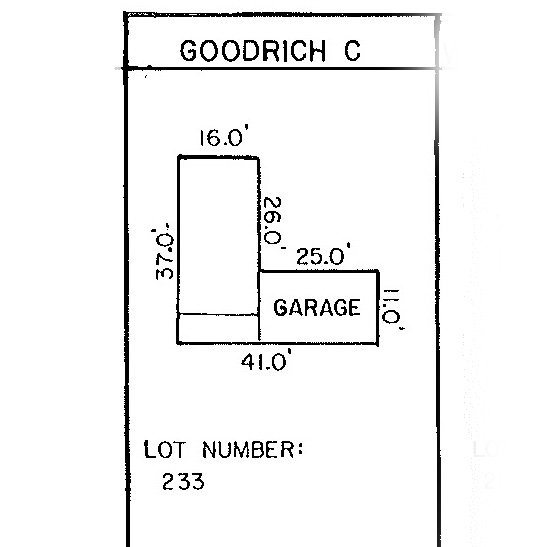
These images represent the original floor plans and maps that were used for construction. Some features — such as islands or peninsulas — may have been modified during the final phase of construction, and other features or layouts may have since been updated by unit owners. Prospective buyers or renters should consult their real estate agent or landlord to verify specific unit information.
Click to zoom
The Pinecrest
The Strathmore
The Goodrich
The Woodstock
The Pinecrest (A, B, C, D)
The Pinecrest (LT)
The Strathmore
The Woodstock
The Goodrich A

The Goodrich B
The Goodrich C
Sitemaps
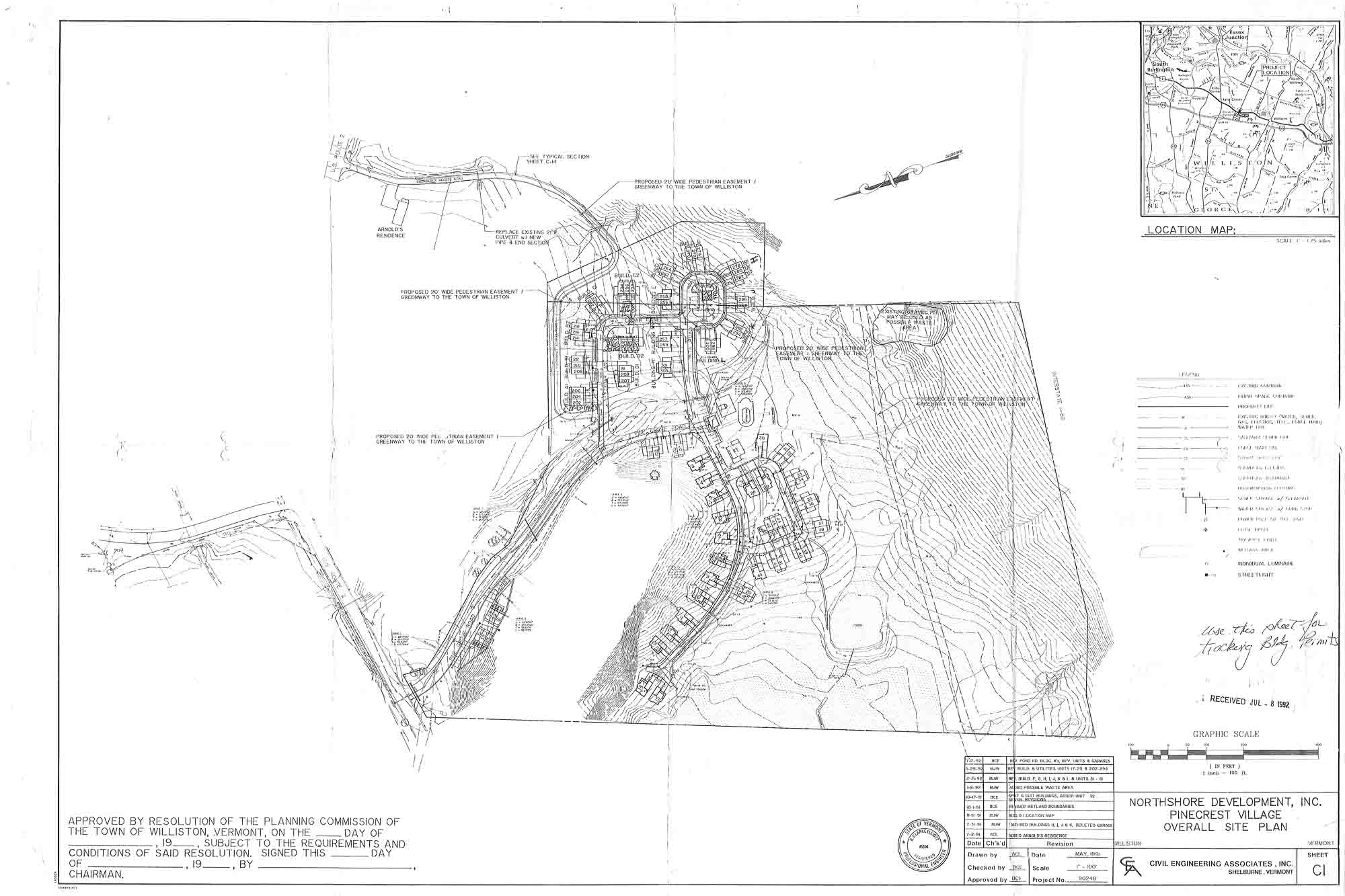
Pinecrest Village Site plan
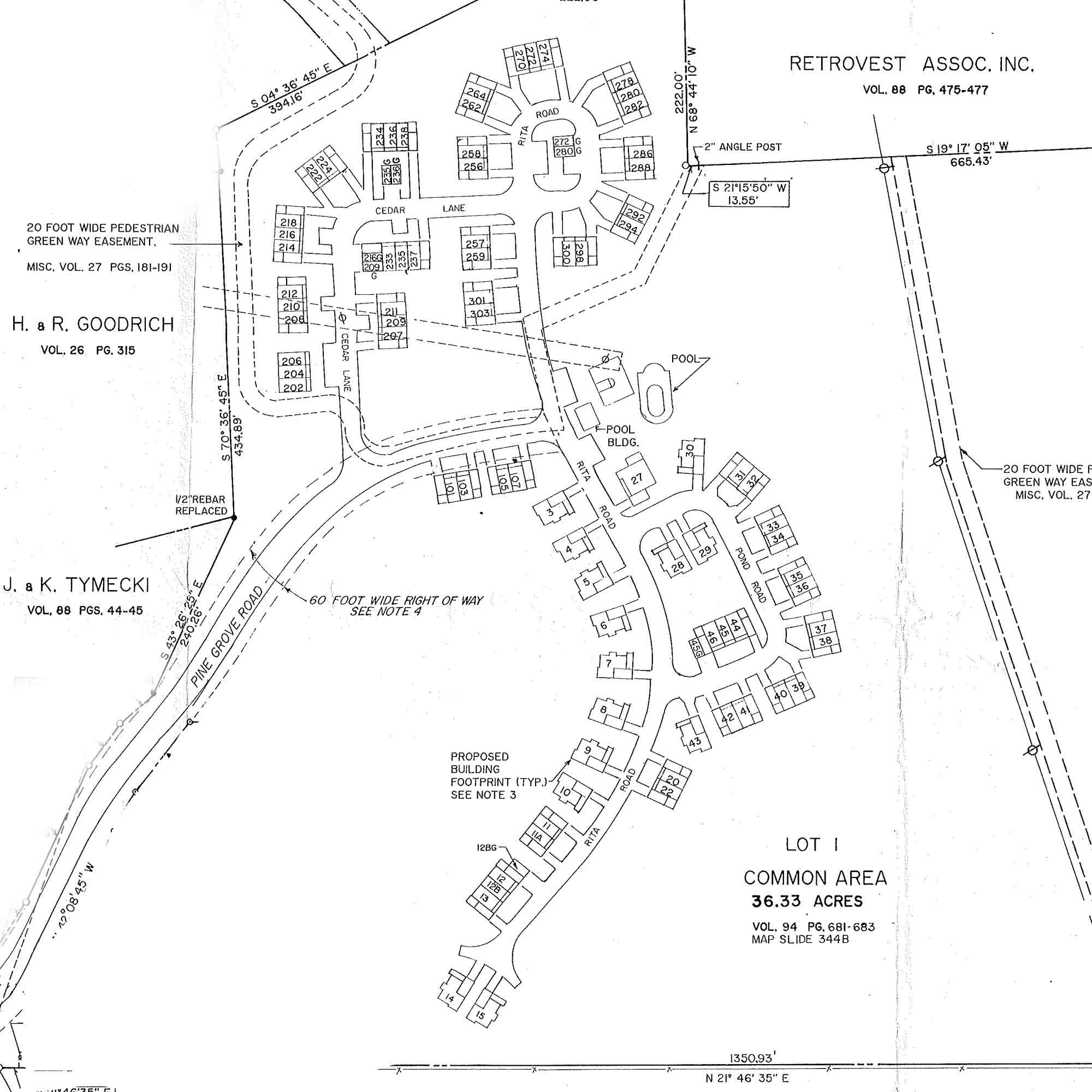
Pinecrest Village Lot Map
Pinecrest Village Utility Map

Amenities
- Pool and Clubhouse
- Outdoor playground
- Outdoor basketball court
- Garden space
- Attached and detached garage options
- Porches in most units
- 30+ acres of common land with both green space and mature forest
Pinecrest Village Monthly Dues Include:
- Trash, recycling, and compost removal
- Sewer ( some units are tied to a community septic system while others are connected to municipal infrastructure)
- Pool and Clubhouse access
- Grounds care & snow removal
Have questions or need help with a real estate transaction?
Homeowners, buyers, sellers, realtors, or mortgage providers are welcome to view the information provided on any of our feature communities pages, but they will need to submit one of the requests below to receive a verfied copy of bylaws, rules and regulations, or financial statements.
Selling
Buying or Refinancing
Already own a condo in this community and looking to make changes?
We’ve got homeowners covered, too! Homeowners who are wondering if they can renovate, rent out their unit, or add a vehicle or pet must request permission from the Board before moving forward, or you can update us with basic info if you are new to the community or making simple changes that don’t require Board approval …
Make a request
Update your info
Window & Door Guidelines
Exterior Painting Guidelines
Property
Pinecrest Village Homeowner’s Association is situated on 30+ acres of greenspace and mature, forested land nearby Williston Village and Taft Farms in Williston, Vermont.
Trails and open space allow for recreation. A non-aggressive pet may be allowed in this community in accordance with community documents and with Board review and approval.

Neighborhood
Williston, Vermont blends the comforts of country with the conveniences of city living. Residents can enjoy the urban environment of nearby Taft Farms with restaurants, grocery, retail, and professional services, along with the parks, paths, and trails of nearby Williston Village.
Pinecrest Village is located at the intersection of Timothy Way and Williston Road (US Route 2) and is only 2 miles from Interstate 89 and 1 mile from Williston Village.